
Free downloads
Presets, samples, 30 VST3 plugins, studio PDF guides, and my FL Studio script live in one Google Drive folder. Grab what you need. Close your DAW before installing plugins. 🐾
My VST3 plugins 🎛️
30 free Windows plugins I built. Tap a screenshot for a closer look. Longer notes under the wall. Folder is up top. My KVR Audio page lists them too. 🐾
Peekaboo
Browse any video, chop it into pads, play it like an instrument.
Plinko
Draw a plinko board, drop balls, hear your sample on every hit.
Midipaw
Pick a genre and key, scratch fresh MIDI, then drag it into your DAW.
Chimera
Two sounds in, one weird blend out.
Plugin shelf
I packed the Tail family onto this wall with everyone else. Octet, Drift, Tape, Contour, Tailback, Snaptail, Looptail, Voxtail.
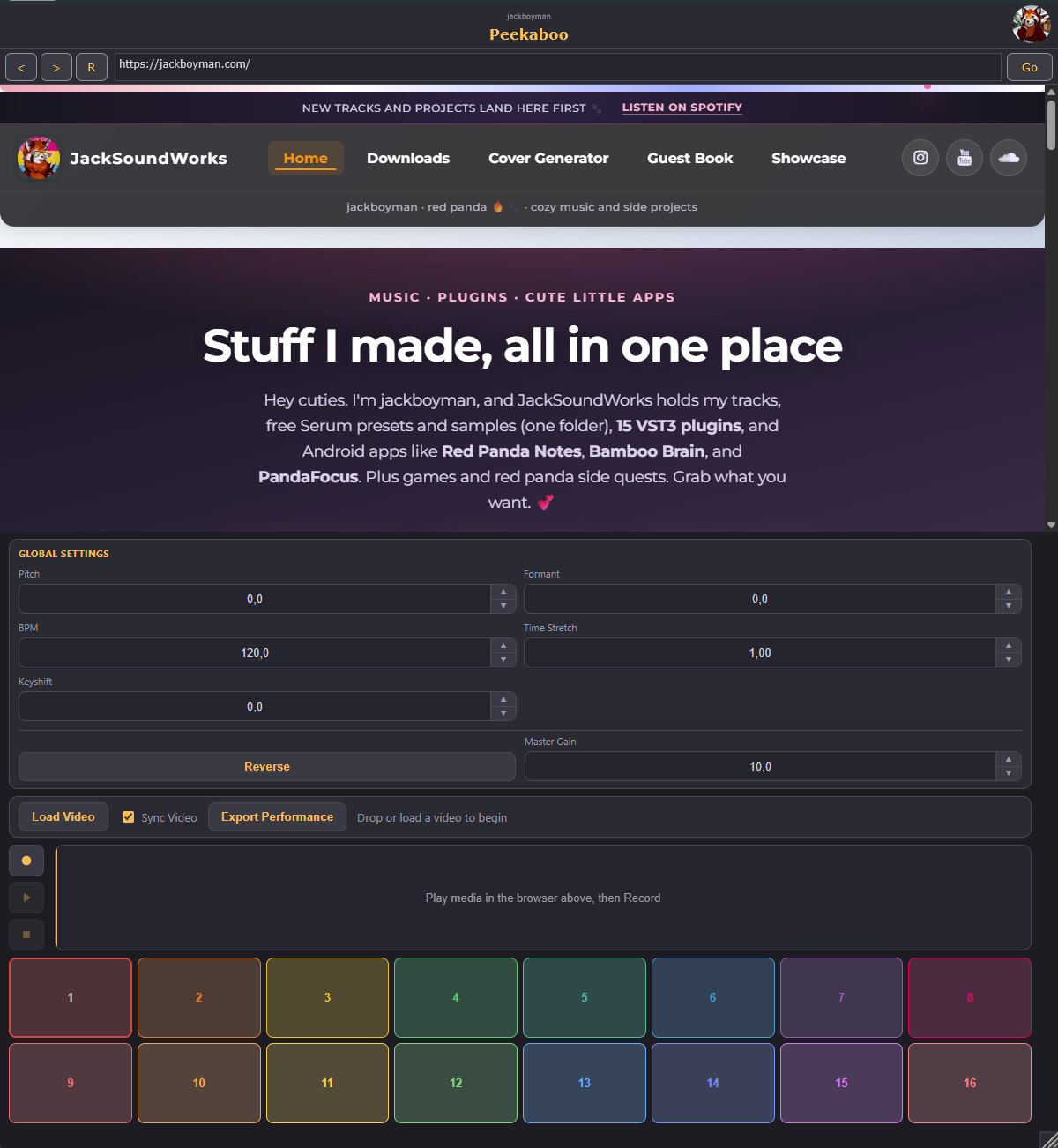
Peekaboo
VST3 Windows Free
Browse any video, chop it into pads, play it like an instrument.
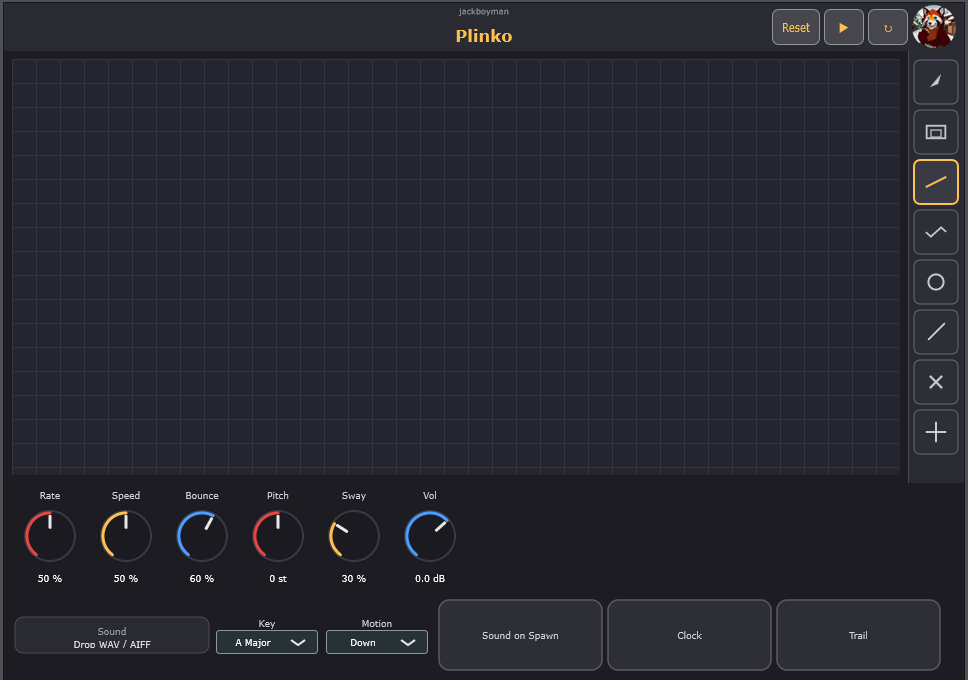
Plinko
VST3 Windows Free
Draw a plinko board, drop balls, hear your sample on every hit.
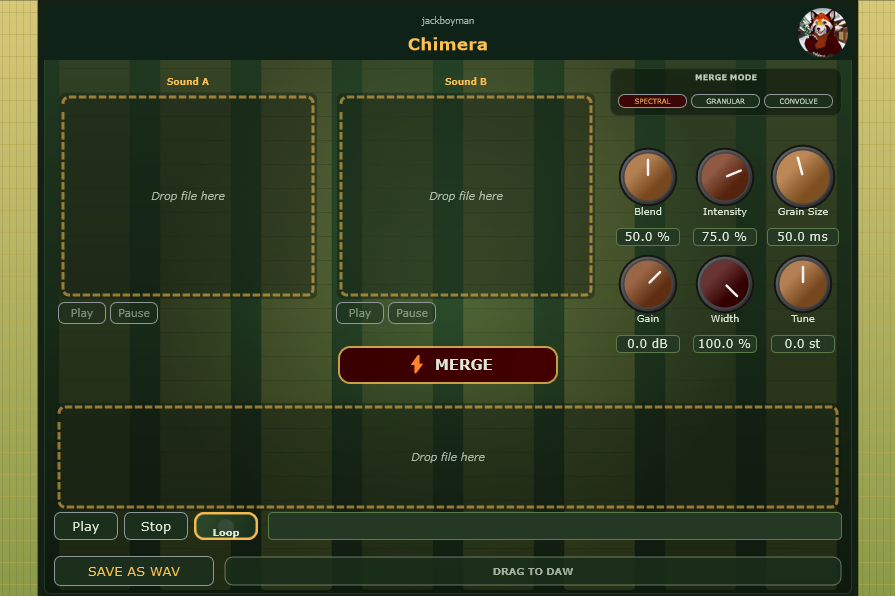
Chimera
VST3 Windows Free
Two sounds in, one weird blend out. Spectral, granular, and convolution merge modes.
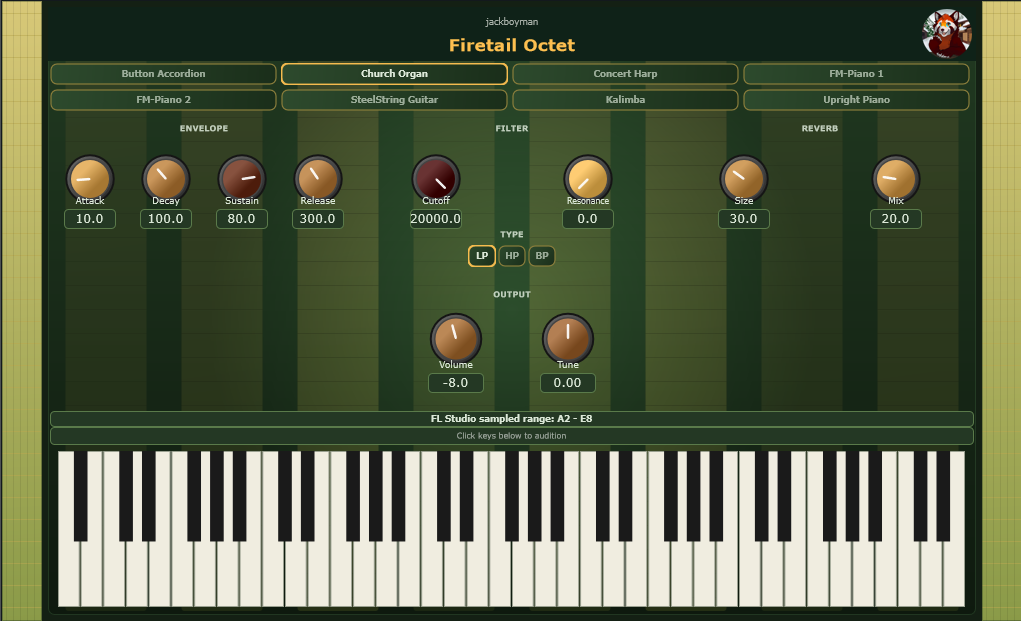
Firetail Octet
VST3 Windows Free
Eight sample instruments in one synth. Accordion, organ, harp, pianos, guitar, kalimba, and more.
Pandattack
VST3 Windows Free
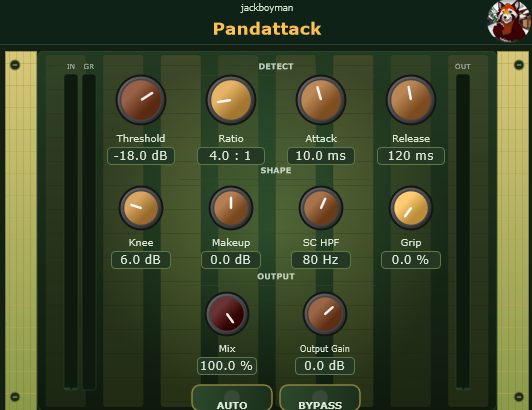
Punchy compressor with threshold, ratio, knee, and sidechain HPF. Grip adds bite.
KeySense
VST3 Windows Free
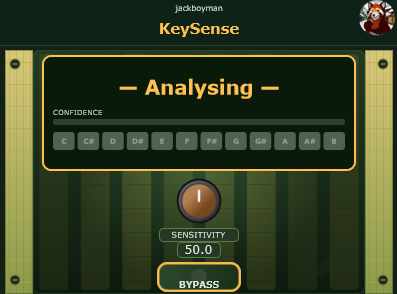
Tells you what key your audio is in. Live keyboard display, no guessing.
Midipaw
VST3 Windows Free
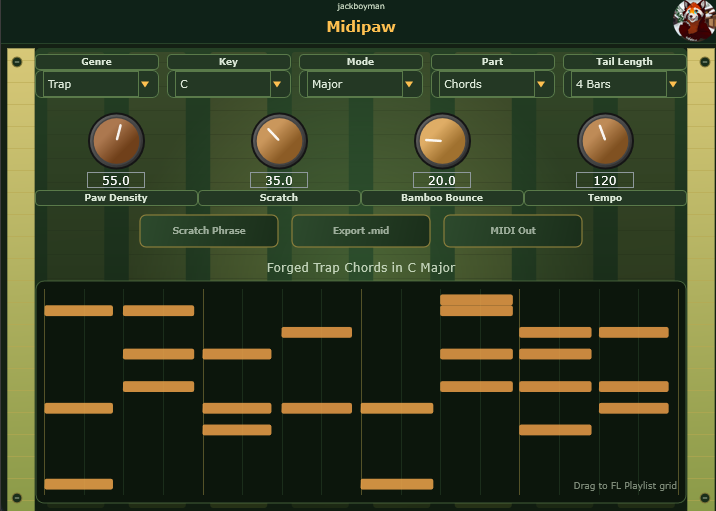
Pick a genre and key, scratch fresh MIDI, then drag or export it into your DAW.
Steptail
VST3 Windows Free
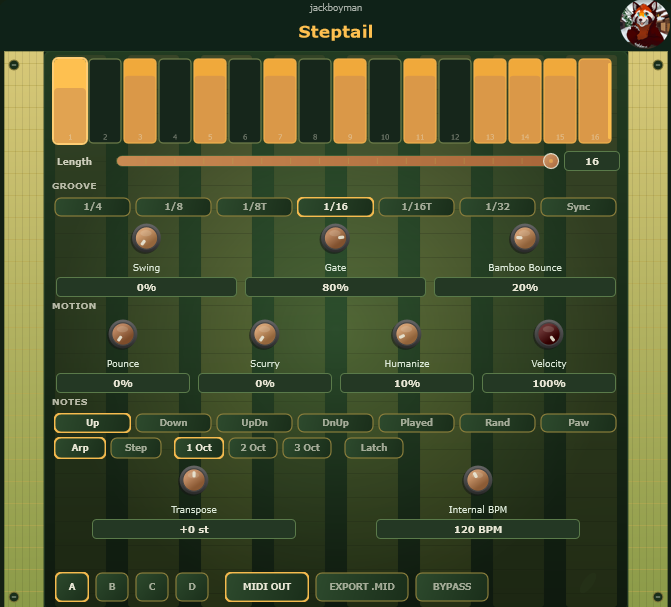
A 16-step MIDI arp and sequencer. Hold notes, shape the rhythm, then send it to your DAW.
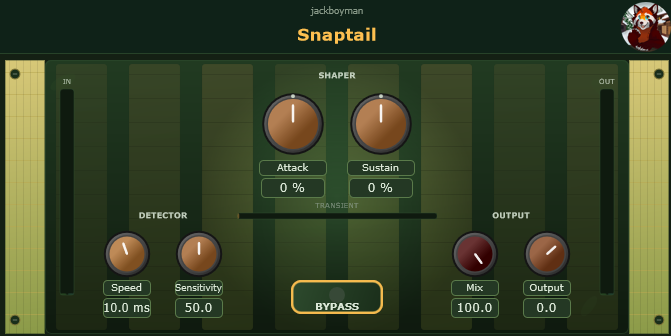
Snaptail
VST3 Windows Free
Sharpens transients without wrecking the body. Good for drums and plucks.
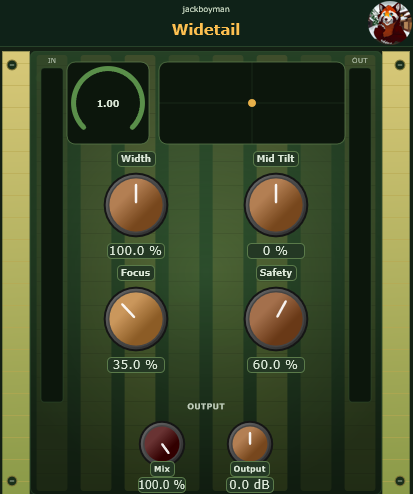
Widetail
VST3 Windows Free
Widen a mix while protecting mono compatibility and the low end. Live meters keep the sides honest.
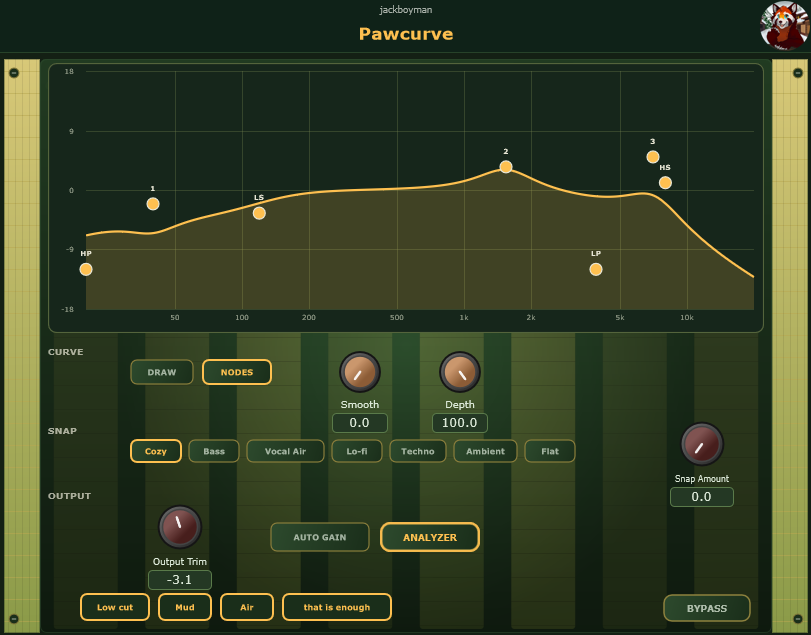
Pawcurve
VST3 Windows Free
Draw an EQ curve or move nodes. Snap toward a tone, watch the analyzer, then stop.
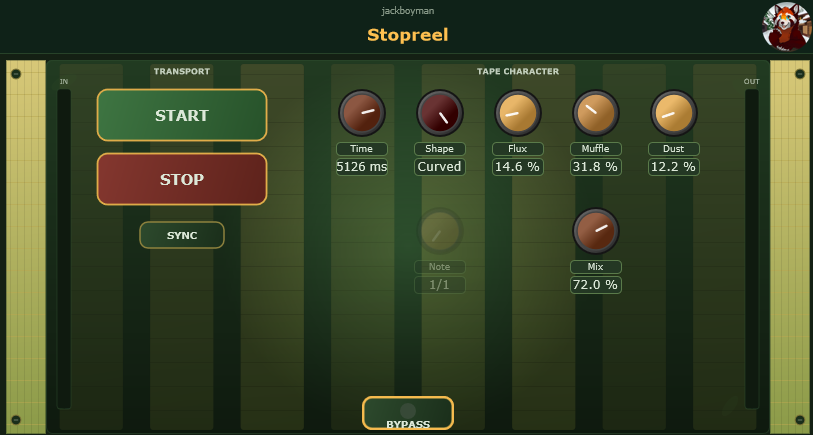
Stopreel
VST3 Windows Free
Hit START / STOP for classic tape slowdowns and speed-ups.
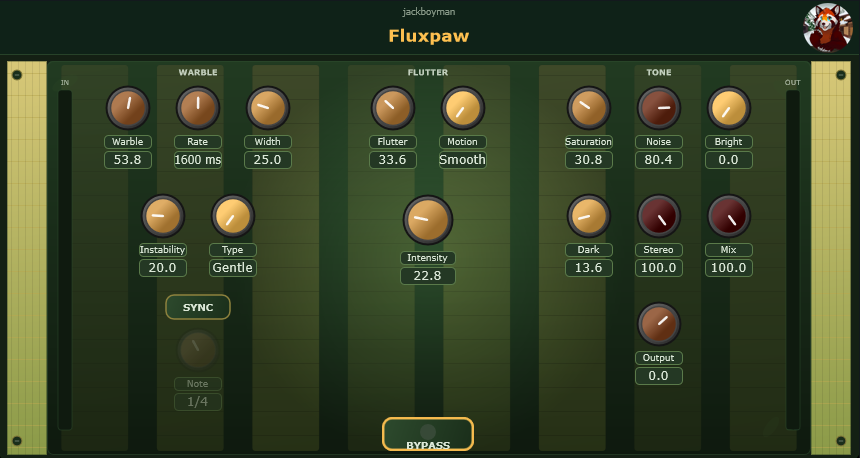
Fluxpaw
VST3 Windows Free
Living tape warble, flutter, and warm tone shaping.
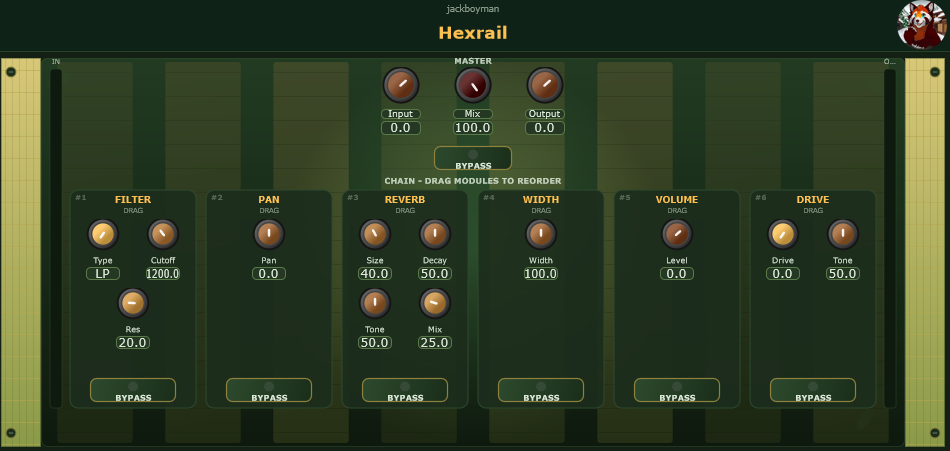
Hexrail
VST3 Windows Free
Modular utility rail. Drag Filter, Pan, Reverb, Width, Volume, Drive to reorder.
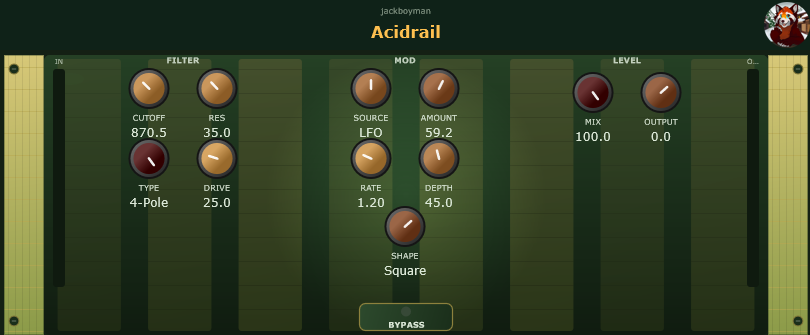
Acidrail
VST3 Windows Free
Vintage ladder low-pass with drive, self-osc resonance, LFO or envelope mod.
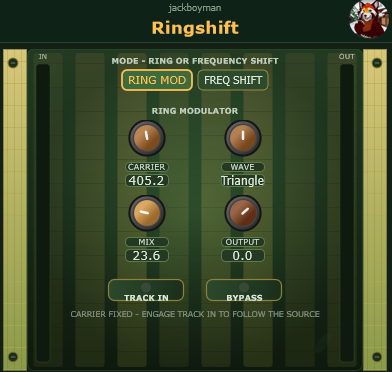
Ringshift
VST3 Windows Free
Ring mod and SSB frequency shift in one box. Weird on purpose.
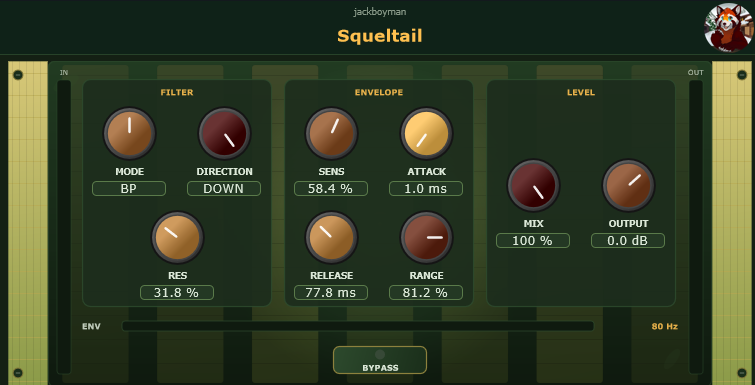
Squeltail
VST3 Windows Free
Envelope-driven resonant LP/BP/HP for Mutron-style funk and vocal quack.
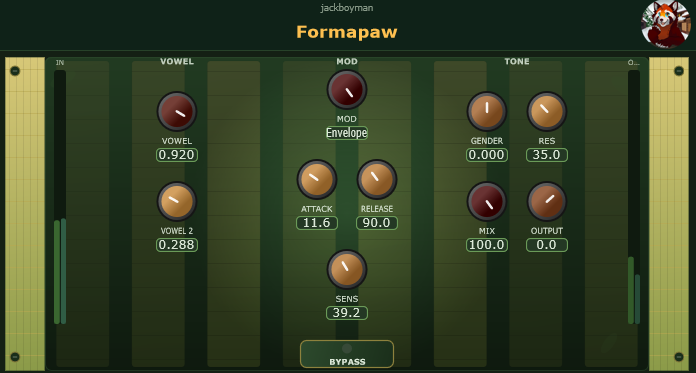
Formapaw
VST3 Windows Free
Morph through A–E–I–O–U formants. Vowel 2 + LFO or envelope, Gender/Size, resonance.
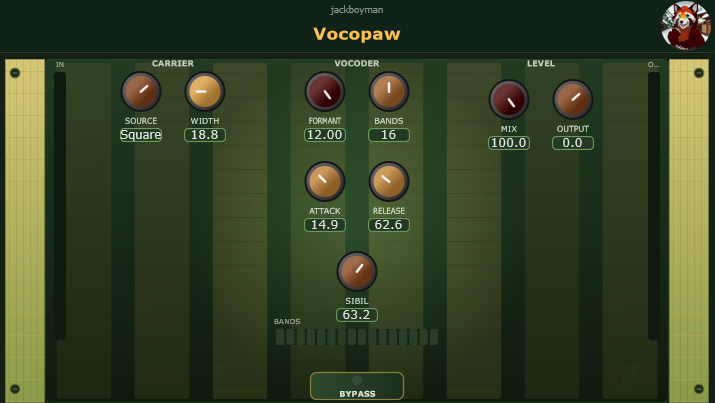
Vocopaw
VST3 Windows Free
EMS / VP-330-style vocoder. Sidechain voice, Saw / Square / MIDI chord carrier, band meters.
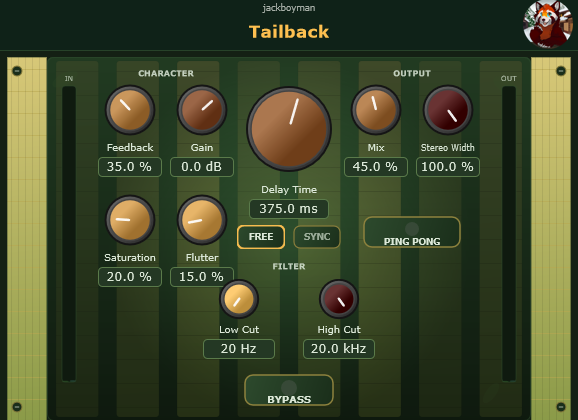
Tailback
VST3 Windows Free
Stereo delay with sync, ping-pong, saturation, flutter, and tone shaping.
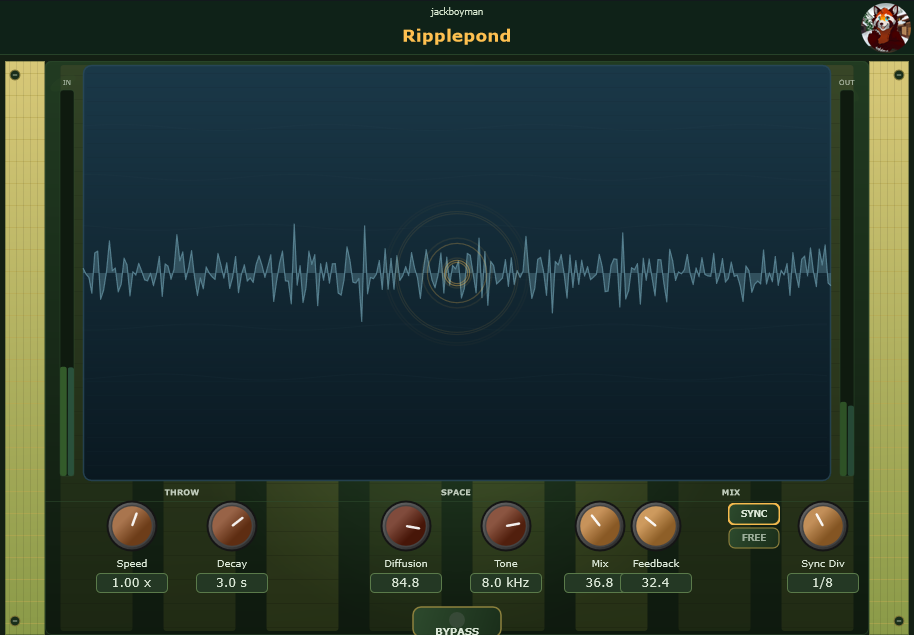
Ripplepond
VST3 Windows Free
Stereo delay and diffusion you hear right away. Mix, Feedback, Diffusion, Tone, tempo-synced timing.
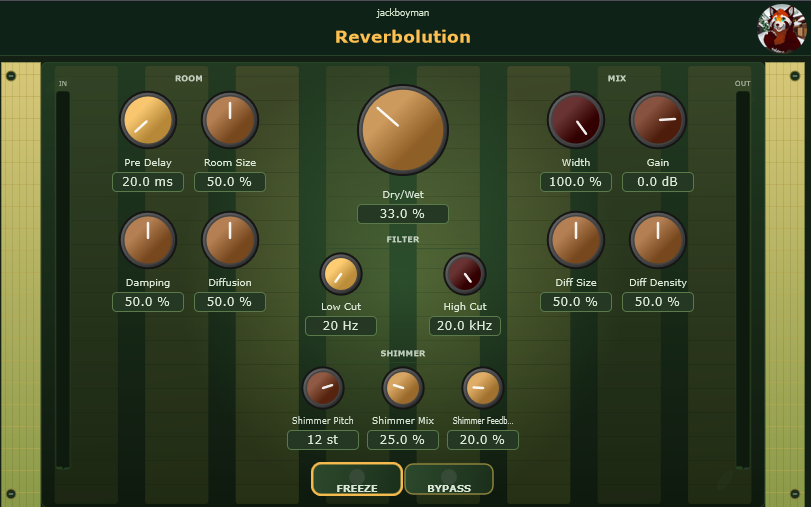
Reverbolution
VST3 Windows Free
Lush reverb. Pre-delay, diffusion, EQ, shimmer, freeze.
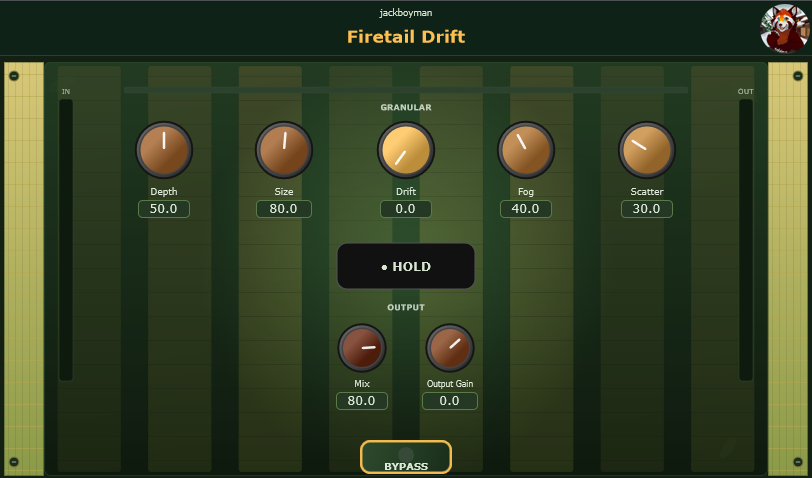
Firetail Drift
VST3 Windows Free
Granular texture engine. Depth, drift, fog, scatter. Hold to freeze a moment.
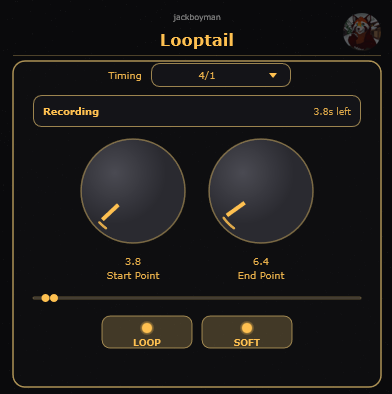
Looptail
VST3 Windows Free
Tempo-synced looper for any track insert. 100% wet when active.
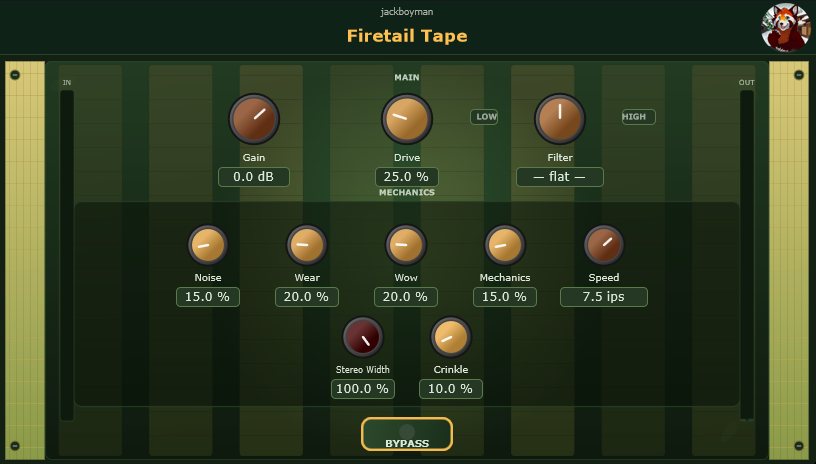
Firetail Tape
VST3 Windows Free
Tape saturation with wow, wear, noise, and mechanical flutter.
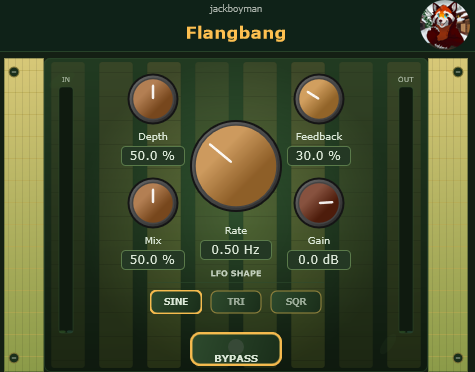
Flangbang
VST3 Windows Free
Classic flanger. Rate, depth, feedback, LFO shapes.
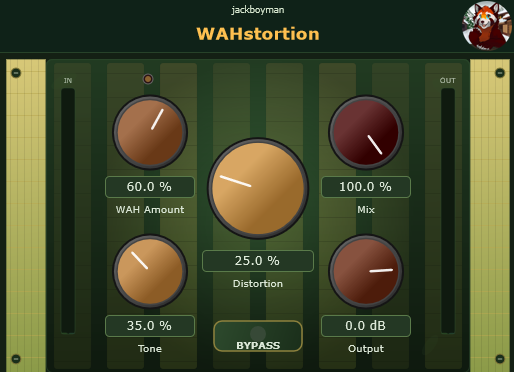
WAHstortion
VST3 Windows Free
Wah and distortion in one pedal chain. Sweep, grit, tone, mix.
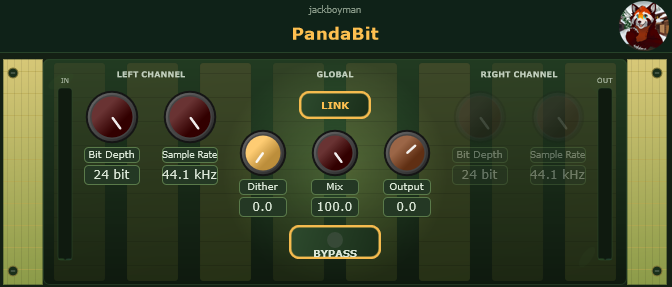
PandaBit
VST3 Windows Free
Lo-fi bit crusher. Separate L/R bit depth and sample rate.
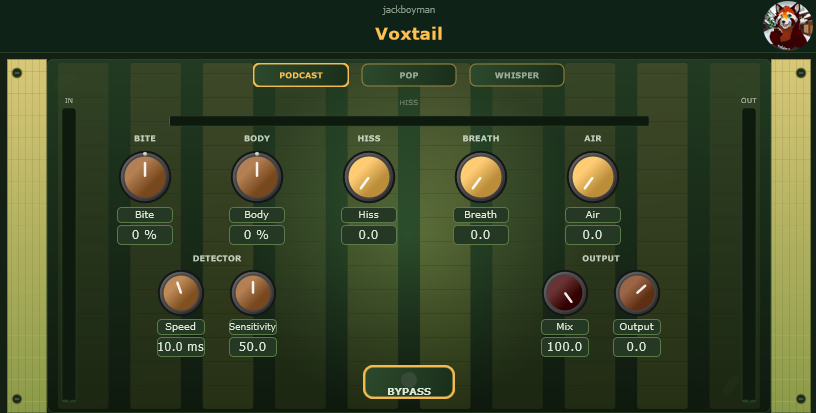
Voxtail
VST3 Windows Free
Vocal enhancer. Bite, body, hiss, breath, air.
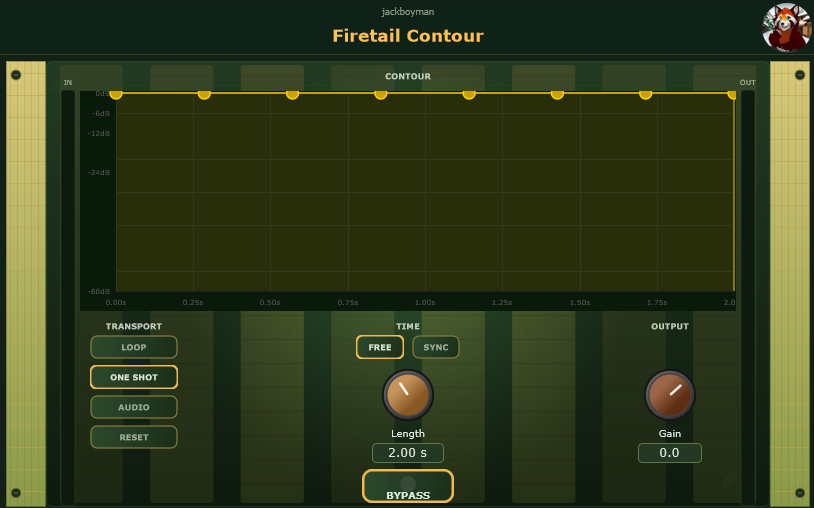
Firetail Contour
VST3 Windows Free
Draw your own volume envelope and slap it on audio. Free-run or tempo-synced.
Nothing matched. Try another word.
SYNTHS
🎹 Peekaboo - Instrument · VST3
Browse any video, chop it into pads, play it like an instrument. YouTube, TikTok, Instagram, or your own files. Record the audio, slice it onto 16 MIDI pads, keep the video in sync with BPM and pitch, export the whole performance to MP4.
🎹 Plinko - Instrument · VST3
Draw a plinko board, drop balls, hear your sample on every hit. Where the ball lands picks the note. A physics toy I built for fun.
🎹 Chimera - Instrument · VST3
Two sounds in, one weird blend out. Spectral, granular, and convolution merge modes.
🎹 Firetail Octet - Instrument · VST3
Eight sample instruments in one synth. Accordion, organ, harp, pianos, guitar, kalimba, and more.
DYNAMICS & UTILITY
🎚️ Pandattack - Effect · VST3
Punchy compressor with threshold, ratio, knee, and sidechain HPF. Grip adds bite.
🎚️ KeySense - Effect · VST3
Tells you what key your audio is in. Live keyboard display, no guessing.
🎚️ Snaptail - Effect · VST3
Sharpens transients without wrecking the body. Good for drums and plucks.
🎚️ Widetail - Effect · VST3
A stereo imager for widening mixes while protecting mono compatibility and low end. Shape width, mid balance, focus, and safety with live correlation and level meters.
🎚️ Pawcurve - Effect · VST3
Draw an EQ curve or move classic nodes. Smooth the shape, blend toward a Snap target, watch the analyzer, and stop when the mix feels right.
🎚️ Stopreel - Effect · VST3
Hit START / STOP for classic tape slowdowns and speed-ups. Tempo sync, warble, muffle, and dust for lo-fi transitions and fills.
🎚️ Fluxpaw - Effect · VST3
Living tape movement: slow warble, fast flutter, and warm tone shaping (sat, noise, width) from subtle drift to full cassette chaos.
🎚️ Hexrail - Effect · VST3
A modular utility rail: Filter, Pan, light Reverb, Width, Volume, and oversampled Drive in series. Drag modules to reorder, bypass each slot, and blend the full chain with input/output and master mix.
TIME & SPACE
🌊 Tailback - Effect · VST3
Stereo delay with sync, ping-pong, saturation, flutter, and tone shaping.
🌊 Ripplepond - Effect · VST3
Stereo delay and diffusion you hear right away. No hidden modes, no pond clicking. Mix, Feedback, Diffusion, Tone, and tempo-synced timing. Watch the ripples while the echoes do the work.
🌊 Reverbolution - Effect · VST3
Lush reverb. Pre-delay, diffusion, EQ, shimmer, freeze.
🌊 Firetail Drift - Effect · VST3
Granular texture engine. Depth, drift, fog, scatter. Hold to freeze a moment.
🌊 Looptail - Effect · VST3
Tempo-synced looper for any track insert. Captures incoming audio in a rolling stereo buffer and plays it back as a repeating loop. 100% wet when active.
CHARACTER & COLOR
🔥 Firetail Tape - Effect · VST3
Tape saturation with wow, wear, noise, and mechanical flutter.
🔥 Acidrail - Effect · VST3
Vintage ladder low-pass (2-pole or 4-pole) with drive into the filter and resonance that can self-oscillate. Modulate cutoff from Off, LFO (sine/tri/square/S&H), or an envelope follower.
🔥 Ringshift - Effect · VST3
Two classic weirdos in one box. Ring mode multiplies by a sine/triangle/square carrier (optional input tracking). Shift mode uses a Hilbert SSB path for −1000…+1000 Hz frequency shifts with feedback. Not a pitch shifter.
🔥 Squeltail - Effect · VST3
Envelope-driven resonant LP/BP/HP. Sensitivity, attack, release, direction (up/down), and range shape the sweep; high resonance stays usable for Mutron-style funk and vocal quack.
🔥 Formapaw - Effect · VST3
A 5-band formant / vowel filter. Morph continuously through A–E–I–O–U, sweep to a second vowel with Off / LFO (free or sync, sine/tri) or an envelope follower, then shape Gender/Size, Resonance, Mix, and Output. Works on synths, drums, and vocals.
🔥 Vocopaw - Effect · VST3
Analog-style vocoder with matching 8 / 16 / 24 band banks. Sidechain Modulator (voice) drives envelopes onto a Carrier: main input, built-in Saw / Square (+width), or a 3-voice MIDI chord. Formant Shift, Sibilance, Mix, Output, and a live band-meter row.
🔥 Flangbang - Effect · VST3
Classic flanger. Rate, depth, feedback, LFO shapes.
🔥 WAHstortion - Effect · VST3
Wah and distortion in one pedal chain. Sweep, grit, tone, mix.
🔥 PandaBit - Effect · VST3
Lo-fi bit crusher. Separate L/R bit depth and sample rate.
🔥 Voxtail - Effect · VST3
Vocal enhancer. Bite, body, hiss, breath, air.
CREATIVE TOOLS
✏️ Firetail Contour - Effect · VST3
Draw your own volume envelope and slap it on audio. Free-run or tempo-synced.
✏️ Midipaw - Creative tool · VST3
Generate fresh MIDI melodies, chords, basslines, and arps by choosing a genre and key. Scratch a phrase, then drag or export it straight into your DAW.
✏️ Steptail - Creative tool · VST3
A 16-step MIDI arp and sequencer. Hold a chord, pick a note order, shape velocity and gate, then add swing, ratchets, and a little paw chaos.
Studio PDF guides 📘
Four first-person JackSoundWorks notes I keep on my own desk. Genre, mixing, FL Studio 2026, and arrangement. Grab the PDFs from the free folder up top. 🐾
🎼 Music Production Genre Guide
Fifteen genres with vibe notes, sub-genres, BPM, song length, core sounds, structure, and common keys like Am or C#m.
🎚️ Music Production Mixing Guide
Gain staging, kick and bass, drums, Serum and UVI layers, vocals, FX space, mono checks, and an export checklist before mastering.
🍊 FL Studio Quick Start and Tips
FL Studio 2026 All Plugins walkthrough. Project setup, mixer routing, stock tools, piano roll tricks, Serum, UVI, and CPU survival tips.
🧱 Music Production Arrangement Guide
How I turn loops into finished songs. Builds, drops, tension, transitions, motifs, and when to stop decorating.
FL Studio script 🍊
A little Python tool for FL Studio. Same folder as everything else above. 🐾
📋 Rename Samples - FL Studio MIDI Python script
Shortens ugly Channel Rack names when you drag samples in. Only changes names inside FL Studio. Your files on disk stay untouched.
What it does
You drag a sample in and the name might look like this:
Cymatics - Faded - 142 BPM D Min Bass → Bass
It tries three tricks, in order:
- Scale tag - text after a key/scale (
D Min Bass→Bass) - Keywords - instrument/type words from your config (Bass, Loop, Strings, Kick, 808, etc.)
- Smart tail - a readable tail from underscore/dash pack names (
PATZIK_Strings_Loop_Chord_03_keyAm_150bpm→Strings Loop Chord)
Duplicate names get numbered: Bass, Bass (1), Bass (2).
How it runs
Drops into your FL Studio Hardware folder as device_rename_samples.py.
Auto-rename (on by default): A background watcher (OnIdle, backup from OnRefresh) catches new channels and shortens names for you.
Manual commands (View → Script output → Interpreter):
preview_renames()- dry run, no changesrename_all_channels()- rename all channels now
Both support selected_only=True for selected channels only.
Settings
Rules live in rename_samples_config.json. Open open_settings.bat for a tkinter GUI: auto-rename, debug logging, keyword lists, scale qualifiers, descriptor prefixes. Hot-reloads while FL Studio runs (about every second).
What it does not do
- Does not touch files on disk
- Does not change clip colors, mixer colors, or routing
- Does not rename old channels when you open a project. Only tracks from that point on
Setup note
For auto-rename to work, set Input and Output on the same MIDI port in F10 → MIDI for the Rename Samples row. That keeps OnIdle running in the background.